Group trip planning app for Android
Don't let your trip plan get lost in the group chat.
GezPlan keeps every moving part of a trip in one place. Share the invite code and everyone joins the same plan.
Lake camping
Abant Lake, Bolu
Example trip. In the app, every trip type has its own color.
Tabs
A tab for everything your group talks about
Everything updates live. When someone adds something, everyone else sees it right away.
The screenshots show the app in Turkish; it works in English too.
-
01
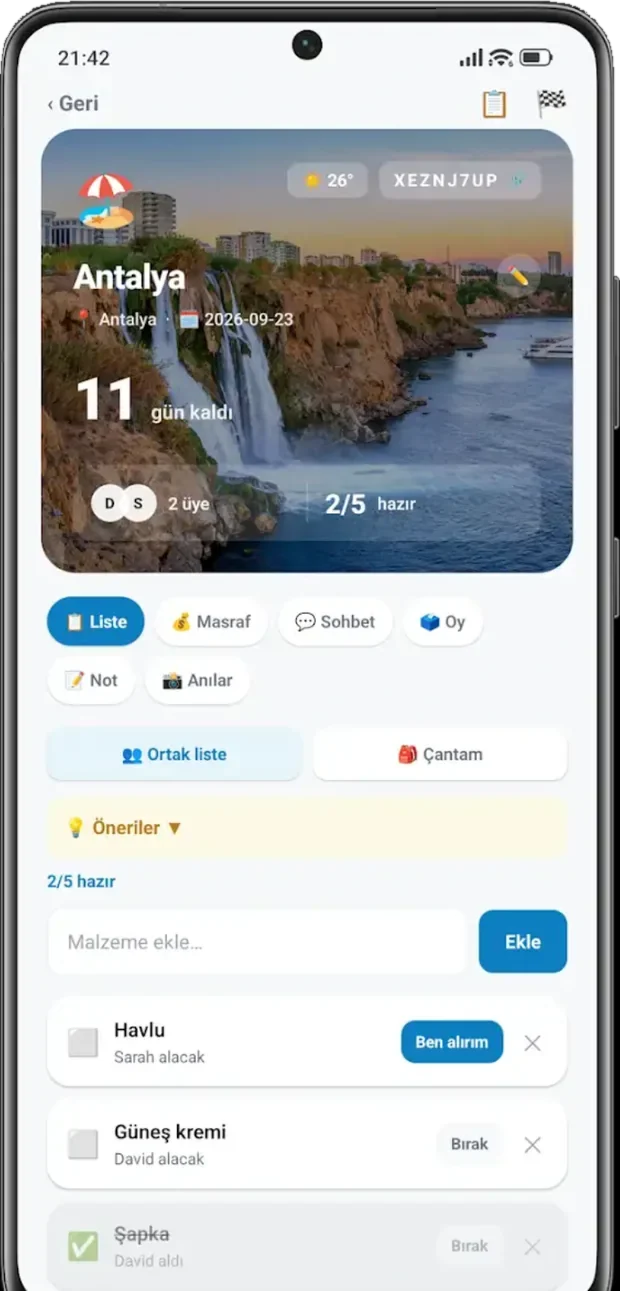
List
Someone claims each item, so nobody brings three of the same thing and nothing gets forgotten.
-
02
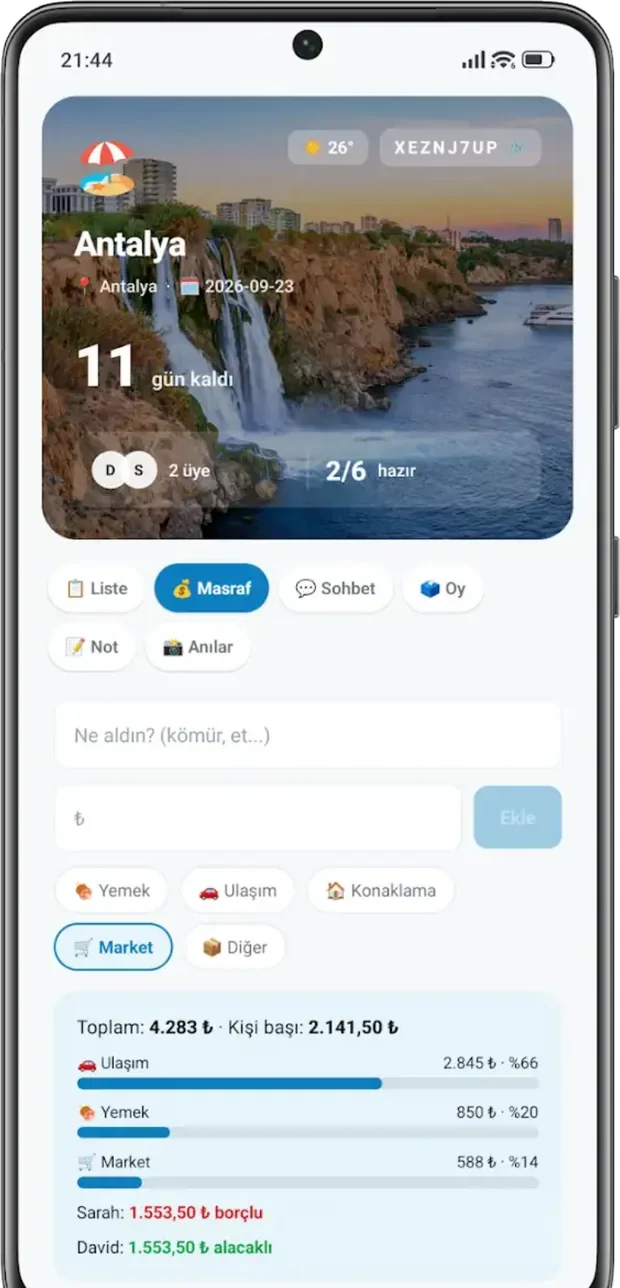
Expenses
Enter what you spent. The app works out who owes whom, down to the cent.
-
03
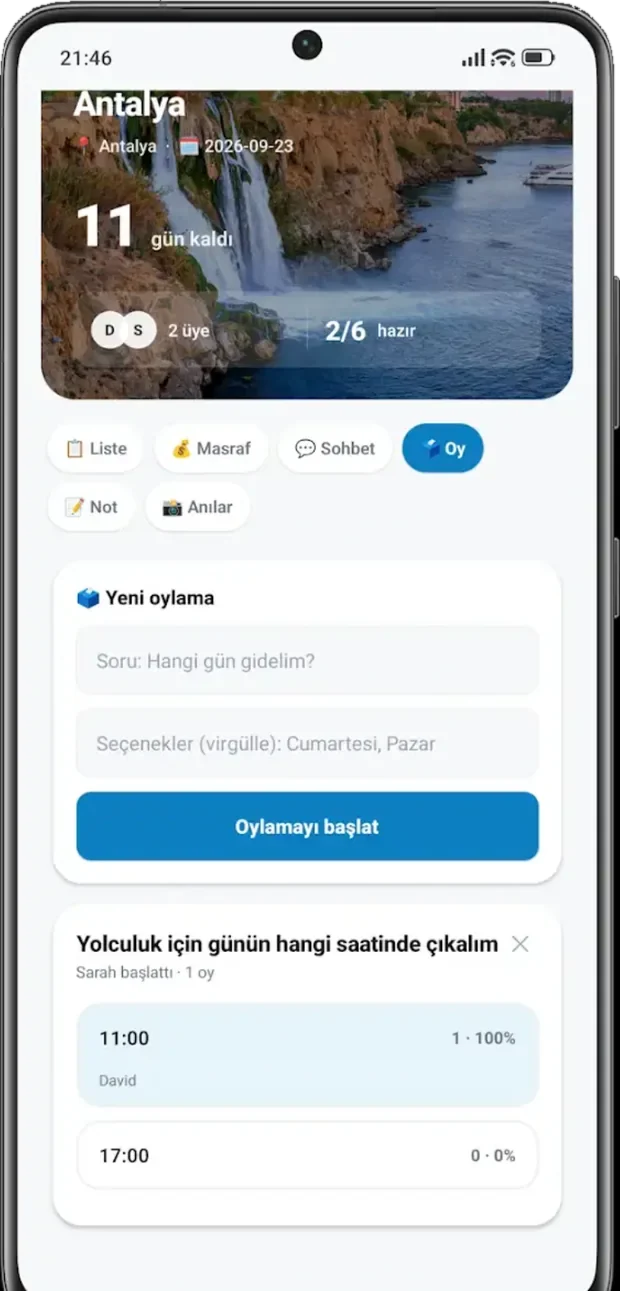
Polls
Which day, what time, where to eat. Let the group vote instead of arguing.
-
04
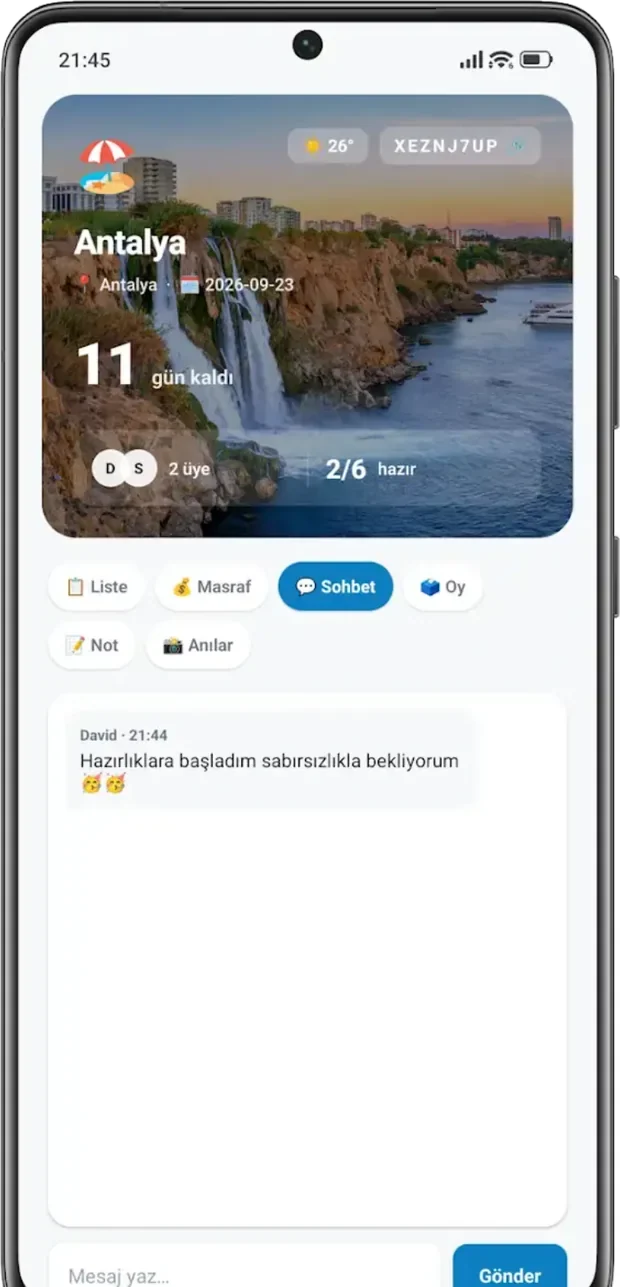
Chat and notes
Ticket times and meeting points don't get buried under hundreds of messages.
-
05
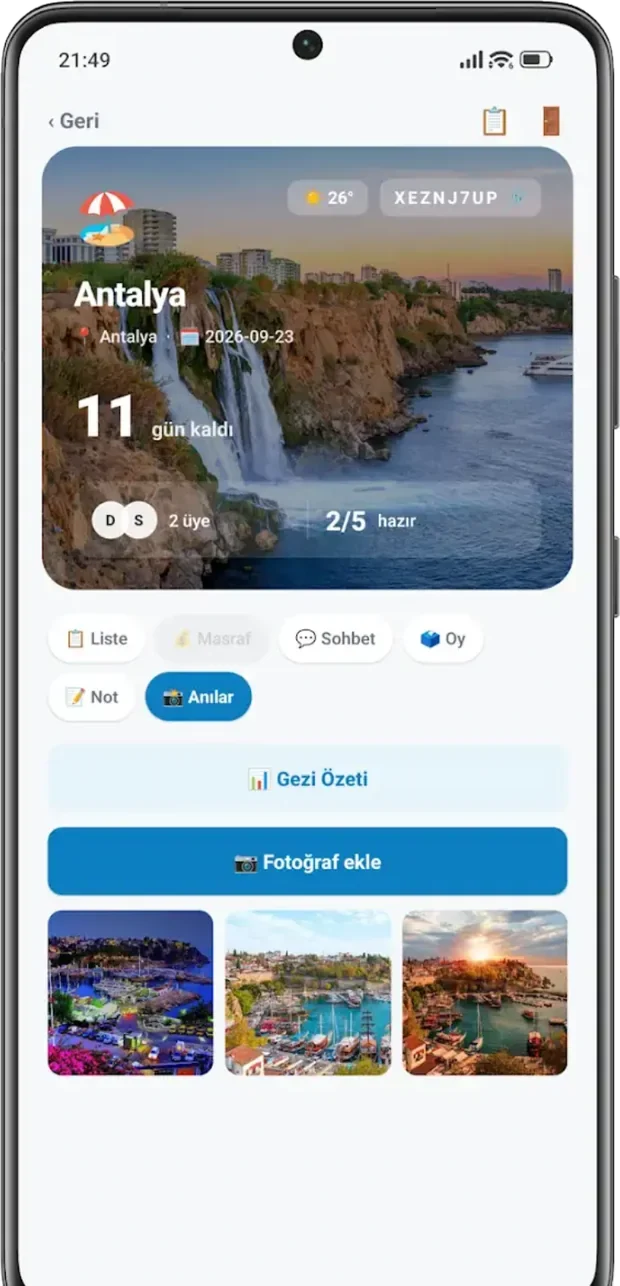
Memories
Everyone's photos end up in one shared album.
-
06
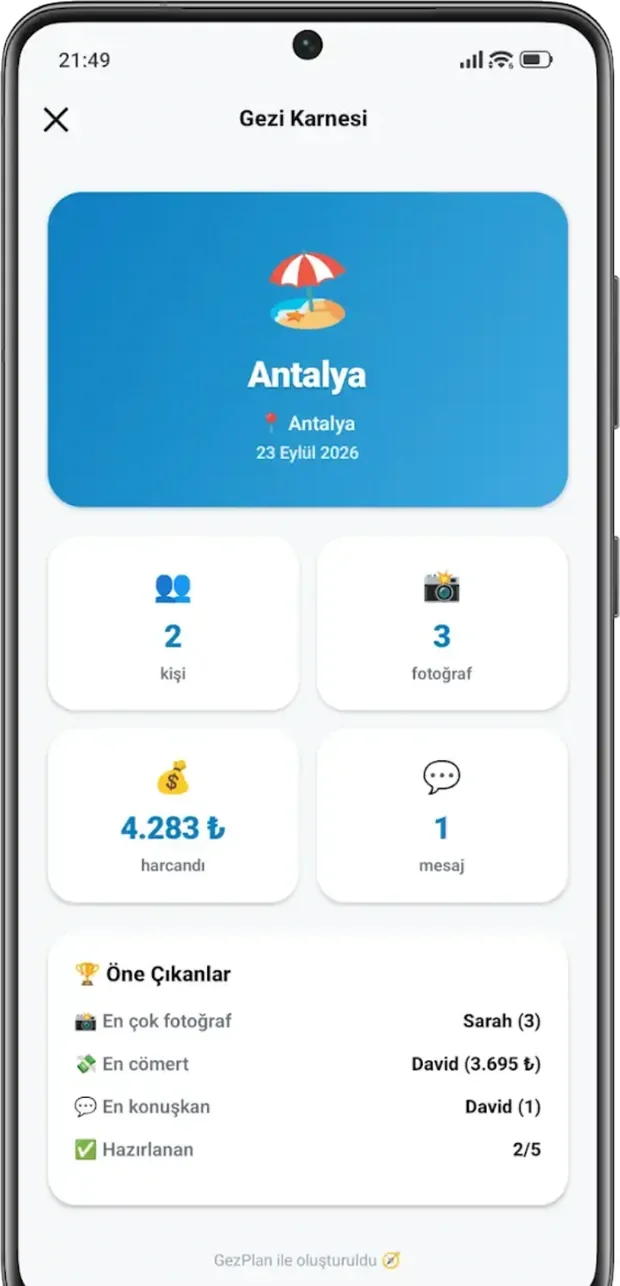
Trip report
When the trip ends you get a summary. Who was the most generous, who talked the most.
-
07
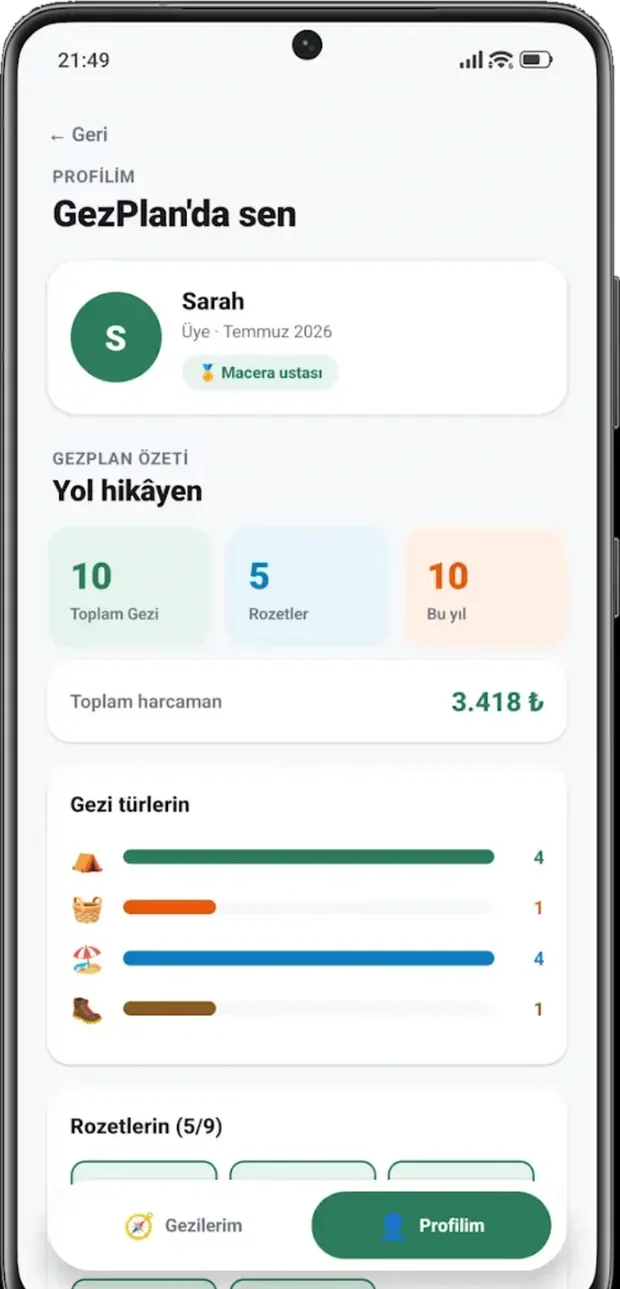
Profile and badges
Your trip history adds up, and new places unlock badges.
Swipe for the other tabs.
Details
Money and prep, out in the open
Costs not everyone shared are split only among those who did
If three of four friends went to dinner, the fourth doesn't owe anything. When you add an expense, you choose who's included. Tap people in the example to try it.
Countdown
Days until the trip and how ready the group is, right on the main card.
Weather
The forecast for your destination shows on the trip card.
Notifications
New messages, expenses, polls and trip reminders reach your phone.
PDF report
Send the expense summary and payment plan to the group as a PDF.
GezPlan is free. Premium, with extras like unlimited trips, unlimited photos and expense analytics, is on the way.
FAQ
Frequently asked questions
How are expenses split only among the people involved?
When you add an expense, pick who took part under Included. The amount is split evenly among the selected people only; by default everyone on the trip is included. The summary in the expenses tab shows who owes whom and how much.
How do my friends join a trip?
Send the invite link with the share button on the trip. When your friend taps it, GezPlan opens with the join prompt; if the app isn't installed, the page shows the invite code and a Google Play link. They can also type the 8-character code under Join by code on the home screen.
Which currencies are supported?
Each trip has its own currency: Turkish lira (TRY), euro (EUR), US dollar (USD) and British pound (GBP). It's chosen when the trip is created, and the trip admin can change it later. Changing it doesn't convert amounts, only the currency label.
Is GezPlan available on iPhone (iOS)?
For now it's Android only, on Google Play. There is no iPhone version yet.
Plan your next trip with GezPlan.
Free for Android. In Turkish and English.